AutoCalc
Minimal gameplay instructions:
1. Start with no math capabilities except the counting operator (++)
2. Achieve (semi-)hidden goals in order to unlock more convenient keys
3. Drag-and-drop to alter calculator loadout
4. Discover mathematical structure via different visualizers
---
Status: Alpha
Completed: base math engine, including:
- modular calculator layouts
- function builder
- step-through
- complex numbers
- orbit analysis (growth rate and cycle detection, mostly)
Current focus:
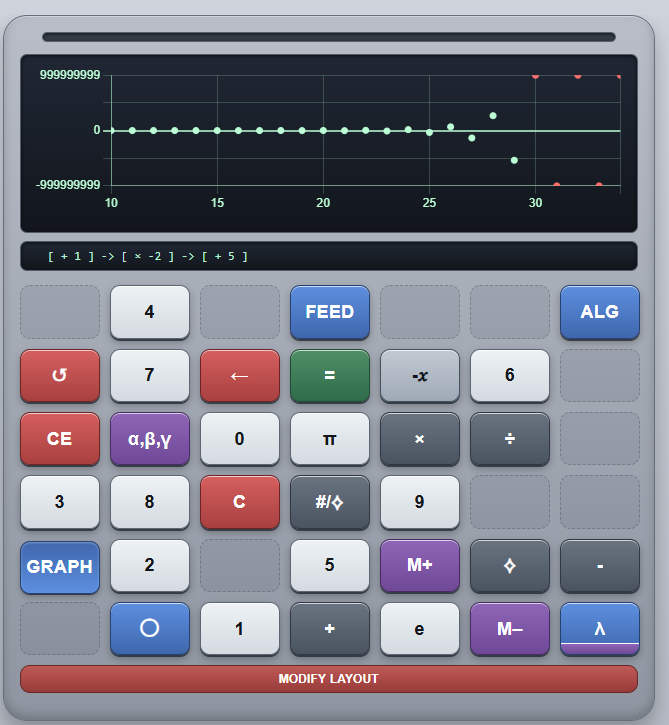
- Unlock engine and hint system; with the right combination of visualizer (blue-striped keys) and analytics (yellow-striped keys), you'll be able to see the next unlock goal
Future plans:
- gameplay/progression map set in stone - ie, make it into an actual game
- mobile/desktop parity
- rework UI (currently full of placeholders)
Download
Click download now to get access to the following files:
Development log
- Number Theory SandboxMar 13, 2026
Comments
Log in with itch.io to leave a comment.
This feels very very unfinished, It's more of a puzzle game, than an incremental.
Idk how to put multiple keys on it
Some documentation on what the buttons actually do would be very helpful. also, if I'm reading the hints right, they appear when they're possible with the selected keys, so how the heck do I count backwards with only addition and multiplication? I have so few buttons, and some more in-depth hints would be amazing.
to go backwards it wants you to, using math operations go from a number X to X - 1, and the result can't be zero I think. I figured out how to do it with 2 operations, but that required being able to enter 2 operations at once. So it shows what's possible with the current buttons, but not whether the calculator can accept it I think.
I'm stuck on figuring out M-, as i have no idea what I did for M+ even after resetting the game to try and pay attention.
I ended up figuring out how to go backwards by multiplying a 1 by 0, because the display does kinda look like it counted down from 1 to 0. And I'm right there with you on M-
After a few hours of reverse-engineering I can confirm that this game is just unfinished. I poked around in the code and found the check for the M- unlock, which specifically checks if the amount of spent points goes from 1 to 0. Without cheats, this is only possible through M-, or another button which has no unlock.
And the "go backwards" one is not as simple as multiply by 0 exactly. Something like 1 * 0 = seems like it should work, but behind the scenes there's a tracker called the "roll" (a list of numbers) which gets set and reset at strange times. What I can figure is that generally, pressing a green button (notably ++, --, and =) will add a value to the roll, and pressing most other buttons will clear it. The roll is what actually gets checked for some checklist items like this one. So to get this one you have to do * 0 ++ = so you queue the "*0" operation which clears the roll, THEN press ++ to get 1 and put it on the roll, and finally = to apply the queued operation to get 0 and put it on the roll, leaving [1, 0] on the roll and passing the check. I can't tell if this is the intentional way to get --, but it is heavily obfuscated if so.
It was a fun game though, and I hope we may get to see some improvements!
It would be nice for the hints to differentiate between completed and incomplete.